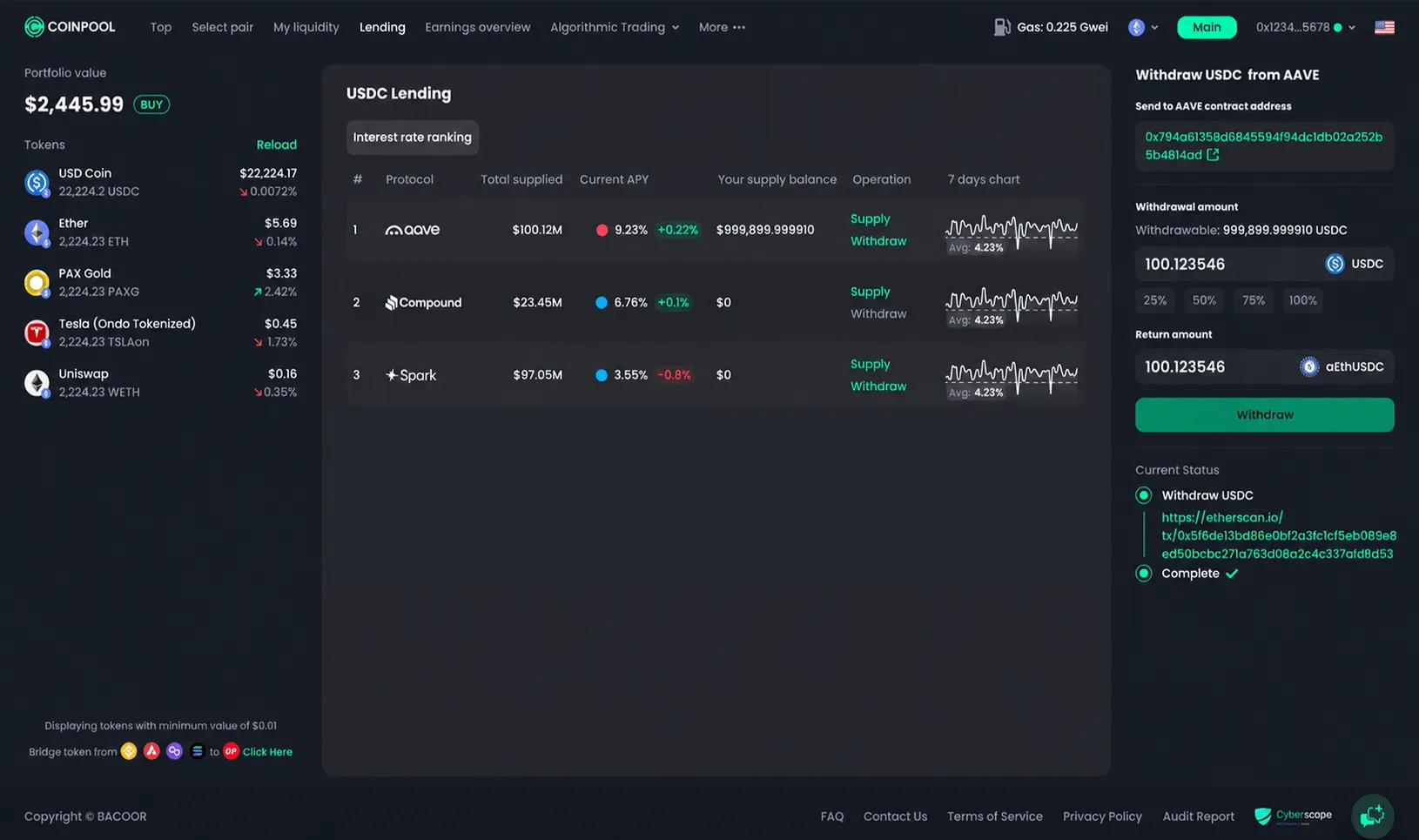


USDC Lending – How to Supply

USDC Lending on CoinPool lets you supply USDC to supported lending protocols directly through the CoinPool app. This allows you to access lending opportunities in a simpler way, while still using the underlying DeFi protocols.
USDC Lending – How to Supply
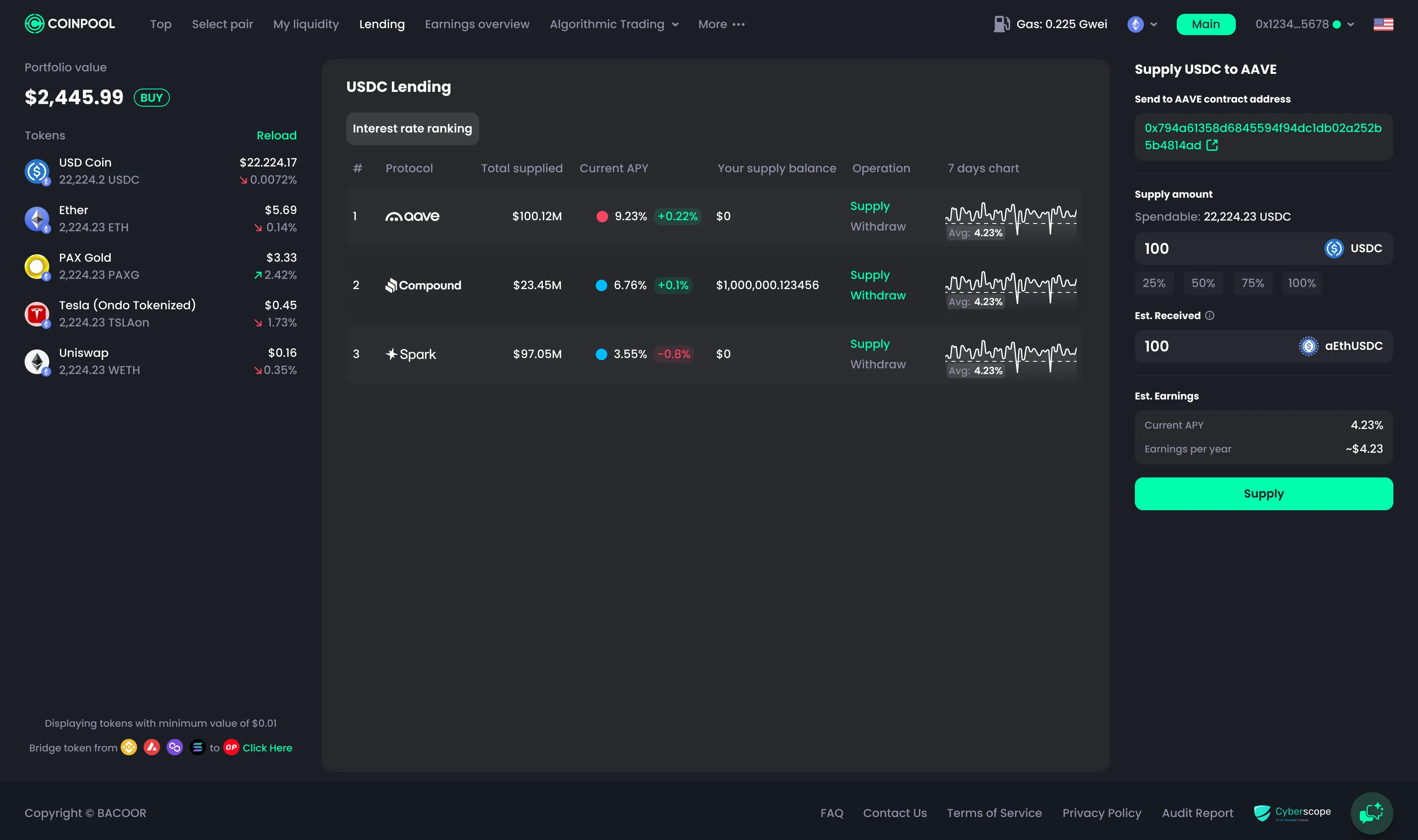
Follow these steps to supply USDC:
- Go to the Lending tab.
- Choose the lending protocol you want to use.
- Click the Supply button.
- Enter the amount of USDC you want to supply.
- Review all details carefully, including the protocol, amount, and estimated APY.
- Click Supply.
- Confirm the transaction in your wallet.

After the transaction is confirmed on-chain, your supplied USDC position will be created through the selected lending protocol.
How to Choose Protocols to Supply?
Check for available informations
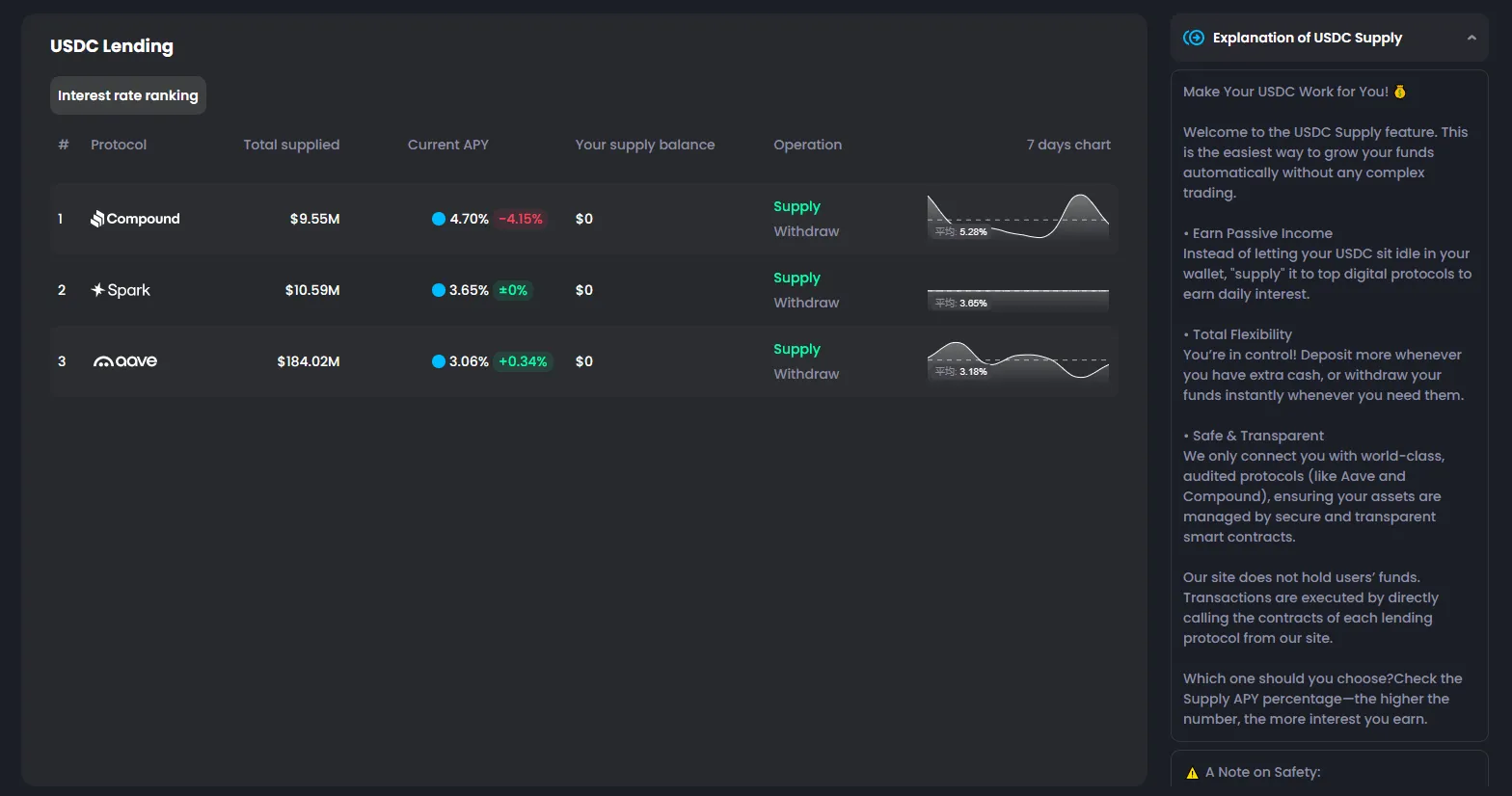
Before supplying USDC, you can quickly check a few key details:
- Hover over the protocol to read a short summary and open the protocol link for more research.
- Check the Total Supplied amount to see how much liquidity is already in the protocol.
- Check the current APY to compare the estimated return.
- Review the 7-day chart to see whether APY or supplied liquidity has changed dramatically.
Reminder
These points can help you compare options, but you should still do your own research before choosing a protocol. CoinPool only simplifies access to these lending features. The infrastructure, rules, and risks are managed by the underlying protocols.