

How to Connect Solana Wallet
How to Connect Solana Wallet
To use a Solana wallet on CoinPool, you need to:
- Connect your Solana wallet
- Register your Solana address
Use a wallet that supports Solana. We recommend KEYRING PRO Wallet or MetaMask.
Connect with KEYRING PRO Wallet
- Create a Solana address in KEYRING PRO Wallet
- Go to CoinPool and click Connect Wallet
- Select WalletConnect to show the QR code
- Open KEYRING PRO Wallet and tap the WalletConnect icon
- Scan the QR code
- Select your CoinPool registered EVM wallet address
- Also select your Solana address along with the EVM address
- Click Connect
- Click Verify on CoinPool
- Sign the request in KEYRING PRO Wallet

Connect with MetaMask
- On CoinPool, click Connect Wallet
- Select MetaMask
- Click Connect in MetaMask
- Click Verify on CoinPool
- Confirm in MetaMask

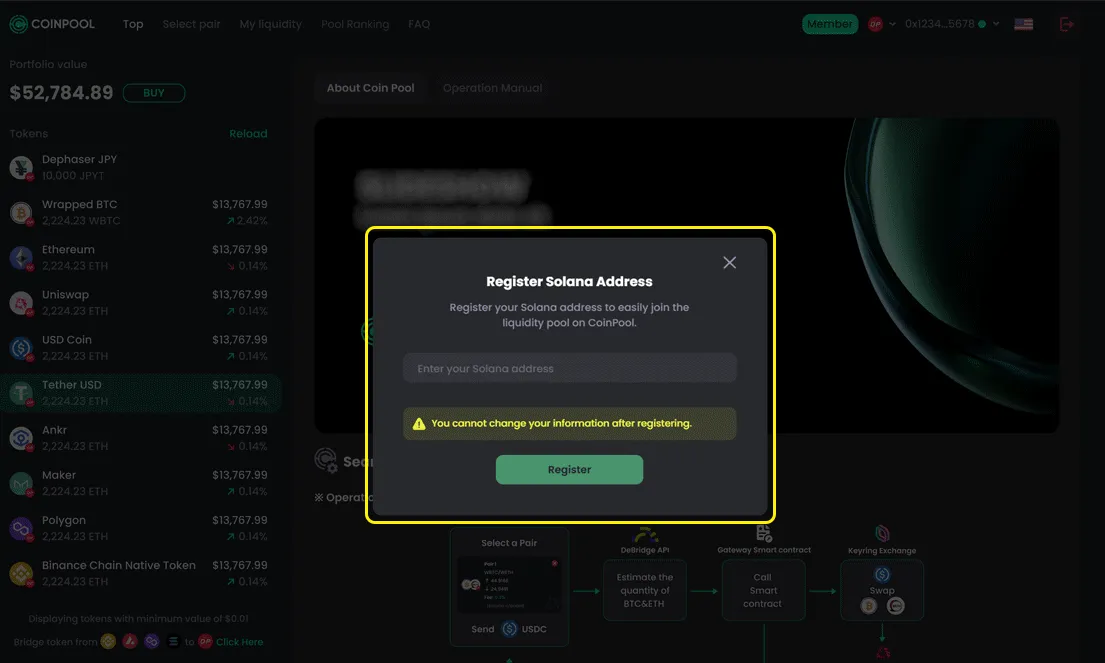
Register Solana Address
After connecting, you must register your Solana address.
- Click your wallet address
- Select Register Solana Address
- Enter your Solana address
- Click Register
Important Notes
- Each user can register only 1 Solana address
- Once registered, it cannot be changed
- The Solana address will be linked to your EVM wallet
Why Register Solana Address?
CoinPool automatically detects EVM wallets, but Solana is not part of the EVM system.
- You must register your Solana address manually
- This allows CoinPool to track your assets on Solana
- Required to use features like adding liquidity
Without registration, Solana features will not work