

How to Create Sub Account
How to Create Sub Account
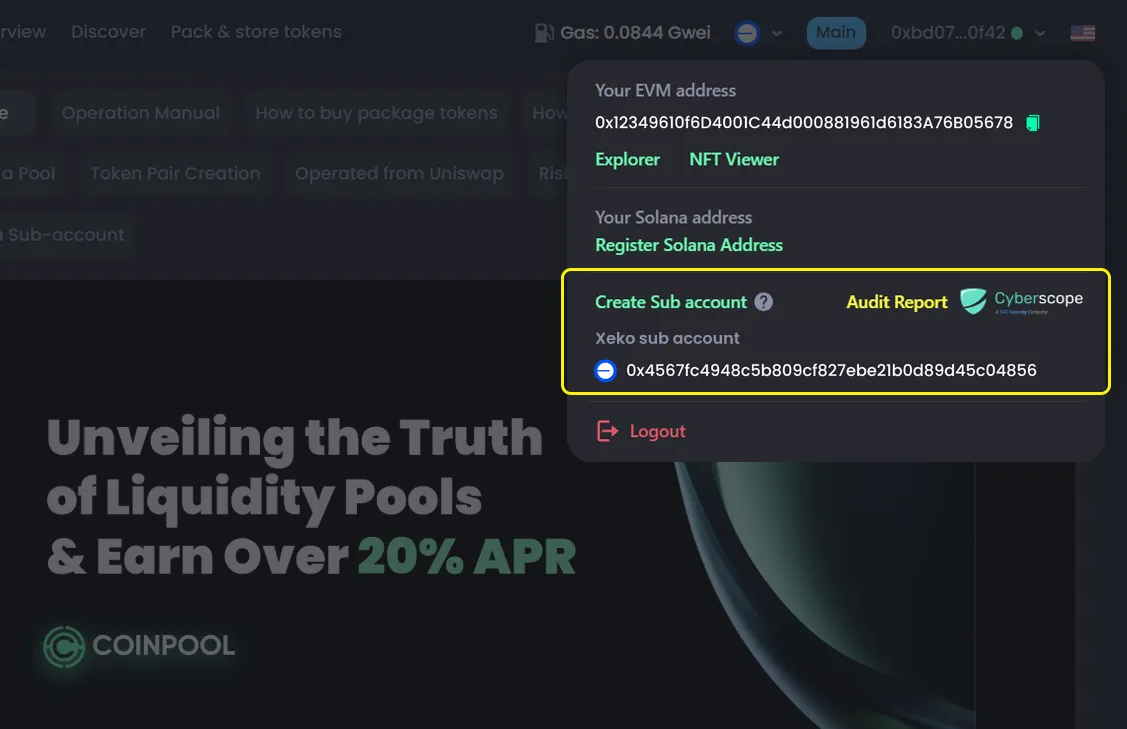
- Click your main wallet address (top right corner)
- Select Create Sub Account
- Choose the chain
- Enter the Operator Address
- Enter the Amount allocated to the operator
- Set a Label for the sub account
- Click Confirm
- Confirm in your wallet

What is a Sub Account?
A Sub Account lets you assign another wallet (operator) to manage actions on CoinPool for you.
- You still own all assets
- Only you can withdraw funds to your main account
- The operator earns rewards based on the fee rate you set
Cost to Create a Sub Account
Each sub account works on one chain only. If you want to use multiple chains, you need to create separate sub accounts.
Each time you create a sub account, there is a fee:
- Ethereum: 0.01 ETH
- Base: 0.01 ETH
- Arbitrum: 0.01 ETH
- BNB Chain: 0.03 BNB
- Optimism: 0.01 ETH
- Unichain: 0.01 ETH